

What is UI/UX Design? How is it Done?
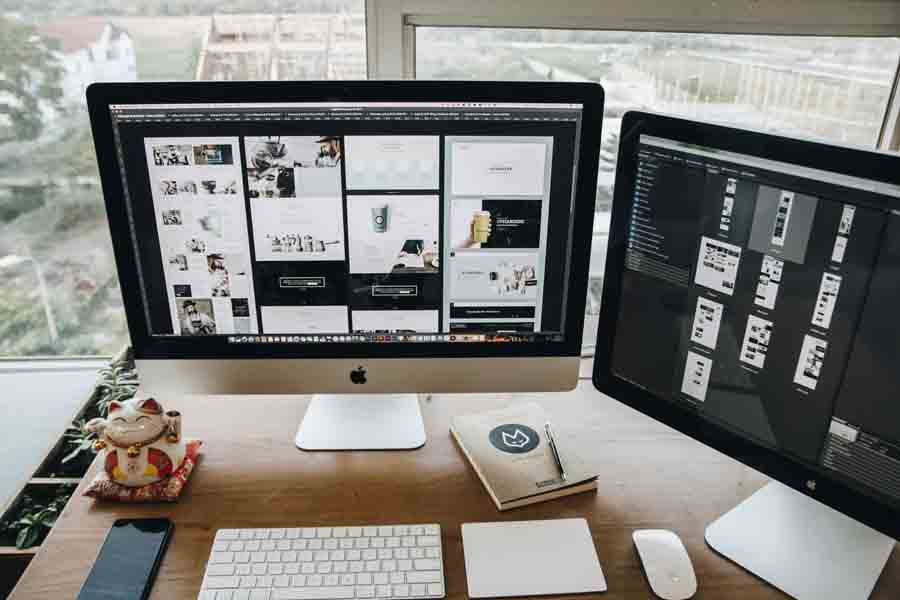
What is UI (User Interface)?
UI Design deals with how a user visually interacts with a digital product. This includes:Colors
Buttons
Icons
Typography (font, size, spacing)
Menu layout
Visual hierarchy
Purpose of UI:
To provide the user with a visually appealing, easy-to-use, and consistent interface.What is UX (User Experience)?
UX Design deals with all experience processes arising from a user's interaction with a digital product, including emotions, ease of use, and efficiency. UX focuses not only on appearance but also on usability, accessibility, effectiveness, functionality, and flow.Purpose of UX:
To ensure users are satisfied while using the product and to provide a seamless and understandable experience.Difference Between UI and UX
UI (User Interface) UX (User Experience)Focuses on visual design
Focuses on user feelings and experience
Colors, fonts, buttons
Flow, ease of use, usability
Optimizes visual appearance
Optimizes usability
It is a result
It is a process
How to Do UI/UX? (Step by Step)
1. Research and Analysis (Start of UX)Understand user needs
Competitor analysis
Create personas (target users)
Analyze user behavior
2. Information Architecture (UX)
Plan page/scenario flows (site map)
Create content hierarchy
3. Create Wireframe (Design Draft) (UX/UI)
Low-fidelity drafts (paper or digital sketches)
User flows are created
Plan what the user will do at each step
4. Prototyping (UX/UI)
Interactive drafts are prepared (using tools like Figma, Adobe XD, Sketch)
User navigation between screens is tested
5. Visual Design (UI)
Select color palette, fonts, icons
Prepare style guide (Design System)
Design components such as buttons, form fields, cards
6. Usability Testing (UX)
Conduct tests with users
Identify errors and confusing areas
Make adjustments based on feedback
7. Handover to Development Team
UI/UX designs are delivered to developers (coding phase begins)
CSS/HTML specifications can be provided via Figma for the developer
Tools Used for UI/UX Design
Purpose / ToolsWireframe / Prototyping Figma, Adobe XD, Sketch
Graphic / UI Design Adobe Illustrator, Photoshop
Testing / User Flow Maze, Hotjar, UXTweak
Notes and Flow Planning Miro, Notion, Whimsical
What Does a UI/UX Designer Do?
A UI/UX designer:Analyzes user needs
Plans product flows
Creates wireframes and prototypes
Designs visual interfaces
Conducts usability tests
Delivers designs suitable for developers
Where to Start?
Learn basic design principles (color, spacing, typography, alignment, etc.)Learn UX research and creating personas
Practice wireframe/prototyping in tools like Figma or Adobe XD
Work on sample projects (e.g., shopping app, blog site)
Explore examples on Behance/Dribbble
Turn your projects into a portfolio
Other Blogs
How Does AI Read Websites? What Determines Recommendations? | Netürk Web Design
Detailed Information
Differences Between Web Design and Website Development
Detailed Information
2025 Web Design Trends: From Minimalism to Artificial Intelligence
Detailed Information
User Experience (UX) and Conversion Rates (CRO)
Detailed Information
10 Things Great Websites Have in Common
Detailed Information
What Are HTML and CSS in Web Design?
Detailed Information
Web Design 2026: SEO, UX, Performance & Conversion
Detailed Information
What is Web Software? Will Artificial Intelligence Make the Web Software Industry Obsolete?
Detailed InformationDo you need a corporate website?
We are always ready for your project.
Contact us immediately.
Contact us now.